Free
€0€0
- Ask your AI about your hours and invoices (read-only)
- Hours straight into Merit Aktiva (XML export)
- Collaborators: 1
- Invoices a month: 3
- Billable tasks: 15
Small business
A time tracker for freelancers and small teams that works with Claude and ChatGPT. Invoices straight from your hours, export to Merit.
The Free plan includes read access for your AI. You pay per workspace, not per person.
MinuAeg helps owners, freelancers, and coworkers track time in one lightweight workspace — share tasks, see where the week went, and turn hours into clean billable totals.
Shared work should not live in private notes.
Small teams move fast: a client call here, a quick task there, a coworker helping for an hour. MinuAeg keeps that time in one place so you know what was done, who helped, and what should be paid or billed.
Add the work once, attach it to a project or client, and invite the coworker who needs it.
Start a persistent timer or add time manually so every contributor records work in the same workspace.
Filter clear reports by project, client, or date range, then export totals or turn them into an invoice.
Screenshots of the current MinuAeg interface with demonstration data.
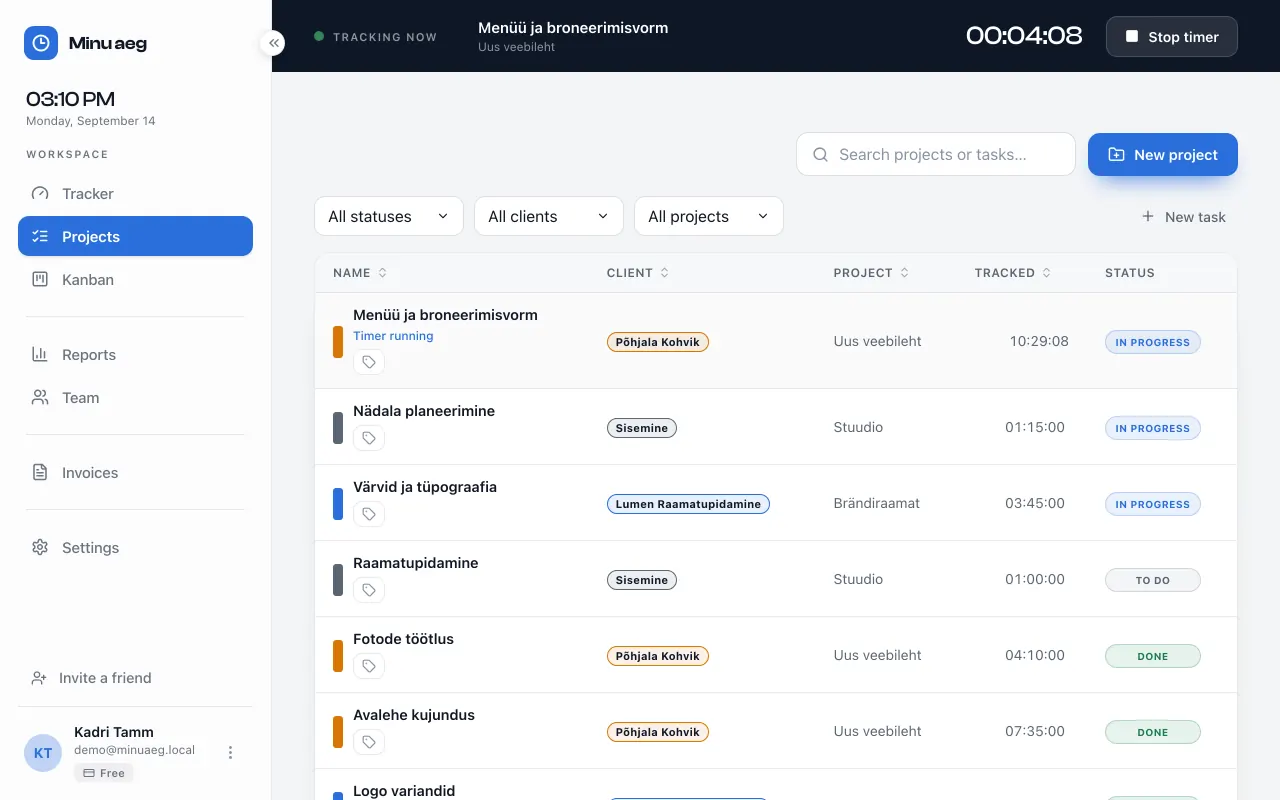
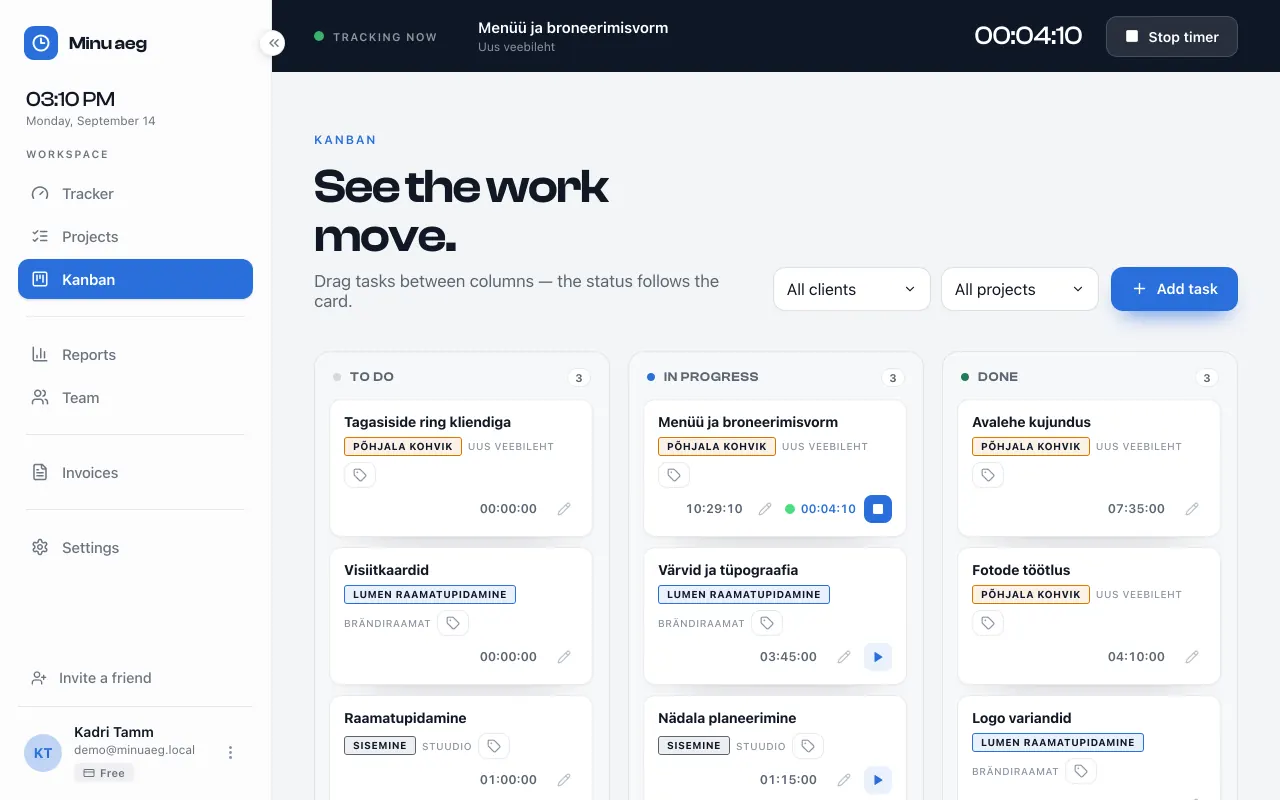
Keep projects, tasks, clients, and coworkers together without a heavy project-management system.
Invite people to help on the same work, with access per project or for the whole workspace, and see their timers running live.
One click starts tracking, and persistent timers keep counting even when the browser is closed.
Know where time goes across projects, clients, and date ranges before you send an invoice.
Hourly rates and exports help freelancers and small businesses turn tracked work into money.
Start free, then move to one paid plan for the whole workspace when your work grows.
Tell your AI what you did. Minuaeg logs the hours and drafts the invoice. Then export straight to Merit Aktiva.
Track your own time, send invoices from it and pass them to your accountant as a Merit Aktiva export. Invite coworkers into the same workspace when shared tasks and reports matter. Paid plans lift the monthly invoice allowance and drop the MinuAeg line from the footer.
€0€0
€14.90/mo€149/yr
2 months free
Yes. Create one workspace, invite coworkers or collaborators, and track shared tasks by project and client.
Yes. Every task shows its status and tracked time, teammates' running timers are visible live, and reports break the workspace down by project, client and date range.
Yes. Add hourly rates, review billable totals, and export clear CSV reports for invoices or client summaries.
Create a free workspace and see exactly where your team's time goes.
Start free